
Tweak your pro headshot to perfection with your personal AI Studio
You can adapt backgrounds and colors, change your fit, or create a full new photoshoot. You decide.
BetterPic customers most often mention the easiness of the product, particularly when it comes to uploading images or selecting details. The AI Assistant is a standout feature that makes the process even easier. Overall, the product is praised for…
Check our testimonials

Perfecting your portfolio
Here are some of our newest features designed to let you tweak your generated images to the next level.
Clothing
Get a new digital wardrobe with one click. 🤙 Our Clothing feature lets you experiment with four different outfits right on your screen.
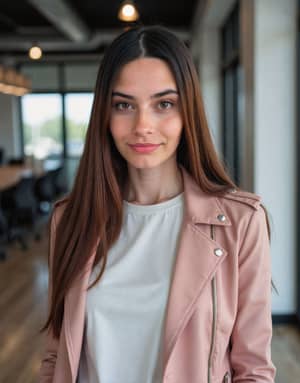
Background
Transform Your Scene with a New Background.

Skin Corrector
Polish Your Natural Look
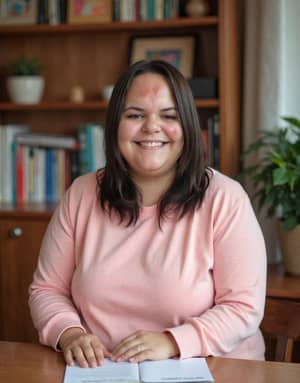
Eyes
Enhance Your Gaze with Eye Adjustments
Transform your photos by refining eye details. Whether you want to brighten, change the color, or adjust the shape, our tool lets you enhance your gaze to make your eyes stand out and convey the perfect expression.
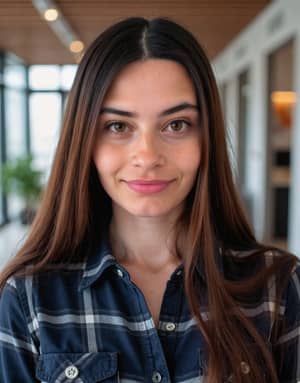
Remove Background
Easily Remove Backgrounds from Your Images
Quickly and effortlessly remove backgrounds from your images with our Remove Background feature.
Remove distractions, isolate subjects, or create transparent backgrounds with just a few clicks.
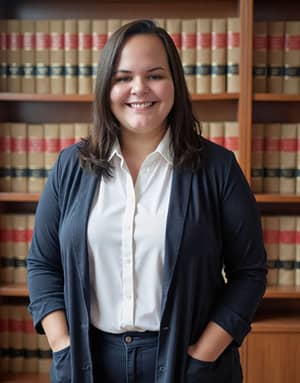
Color Background
Add a Splash of Color to Your Backgrounds
Enhance your images with vibrant and eye-catching backgrounds using our Colored Background feature.
Choose from a wide range of colors and gradients to create a unique and personalized look that complements your style and aesthetic.

Human Edit
Personalized Photo Enhancements by Expert Editors
Get the ultimate personalized photo editing experience with our Human Edit feature.
Simply write down your specific requests, such as "Can you remove my earrings for me?" and our skilled human editors will fix whatever you need.
Whether you need complex retouching, detailed adjustments, or creative transformations, our experts bring your vision to life.
Enjoy that extra touch and artistry that a real human can provide, making sure your images look exactly how you want them to.
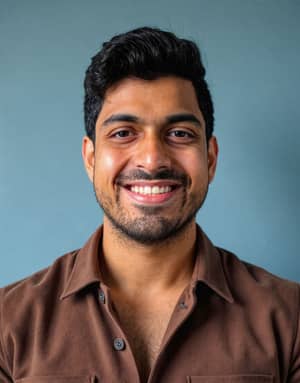
Magic Eraser
Erase anything you don't want in your picture.
Remove some small details from your image by using the brush tool to highlight the area you want to remove.

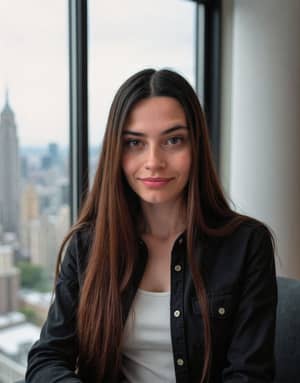
Magic Fix
Perform easily fixes to some small details in your headshots.
Write to the prompt about what you want to change.
Use the brush tool to highlight the area you want to change.
Receive the results within 5 minutes.
Frequently Asked Questions
Is an AI photo editor free to use?
Editors bundled with a headshot product are usually free to open, with charges attached to individual operations rather than access. BetterPic's AI Studio is free to enter; you pay only for the edits you make — new headshots, background changes, outfit swaps and retouching.
How do you open the AI Studio?
Post-generation editors are normally reached from the results screen rather than a separate product. In BetterPic it is the BP Editor toggle in the header, available once your headshots have been delivered.
What is an AI photo studio for?
A post-generation studio exists because the first set is rarely the final one: it lets you change background, outfit and framing without regenerating from scratch, which is faster and preserves the likeness already captured. BetterPic's AI Studio does all of that in minutes.
How much do AI photo edits cost?
Editors in this category price per operation rather than per month, typically a few cents per change, so cost tracks how much you actually alter rather than how long you keep an account. Studio Credits on BetterPic are $0.12 each, with volume discounts.
Can a whole team use an AI photo studio?
Team access depends on whether the licence is per seat or per organisation — worth checking before a bulk purchase. A BetterPic company purchase grants AI Studio access to every team member.
How realistic are studio-quality AI headshots?
Realism turns on skin texture, lighting consistency and correct detail at the edges — hair, glasses, collars — which is where weaker generators give themselves away. Over 90% of BetterPic's business clients are satisfied with the set they receive.
How is photo data protected in an AI studio?
Photographs of identifiable people are personal data under GDPR, so the questions are the legal basis, the retention period and whether a processing agreement exists. BetterPic complies with GDPR and was among the first in this category to implement it.
Can AI headshots be used in print?
Print exposes resolution that screen use hides: a billboard or brochure reveals upscaling a website conceals. BetterPic delivers at 4K, and commercial rights sit with you.
Save 87%on average on your professional photos.
Whenever, wherever you are.
Get studio-quality, 4K images in a variety of outfits & settings in less than an hour.
Get your headshots nowStart now
