
5 Best AI Headshot Apps — Honestly Rated (2026)

This article is part of our AI Headshot Tools collection.
Let's be real — that headshot from 2010 isn't fooling anyone. Whether you're updating LinkedIn, building a personal brand, or just tired of looking at the same outdated photo everywhere, AI headshot apps make it ridiculously easy to get a professional-looking photo without booking a photographer, renting a studio, or pretending to enjoy being told "chin up, now tilt slightly left."
But there are a lot of options out there, and they're not all equal. Some are great for quick LinkedIn updates. Others are better for teams that need matching headshots. A few are overpriced for what they deliver. And at least one has a refund process that doesn't live up to its marketing.
We tested all five of these. BetterPic is our product (we're upfront about that), but we'll give you the honest version on every option — including where competitors beat us.
What makes a good AI headshot app?
Before the rankings, here's what we evaluated:
- Output quality — Does it look like a real photo or like AI art?
- Ease of use — Can a non-technical person figure it out in 5 minutes?
- Speed — How long from upload to finished headshots?
- Style options — How many different looks can you get?
- Pricing — What do you actually get for what you pay?
- Privacy — What happens to your face data?
- Commercial license — Can you use the output on your website, LinkedIn, marketing materials?
1. BetterPic — Best overall quality and features
Pricing: $35 for 20 headshots | $39 for 60 headshots | $79 for 120 headshots
Disclosure: This is our product. We'll tell you what it does well and where it sits in the market honestly.
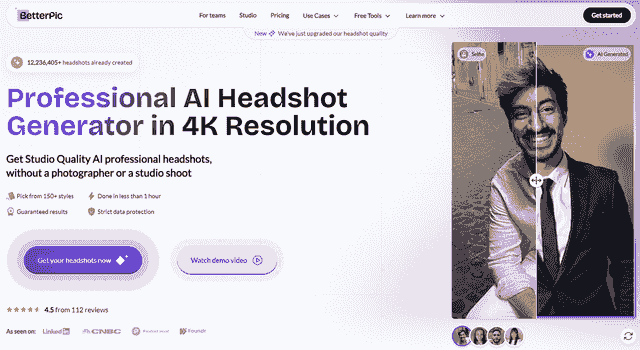
BetterPic is built specifically for professional headshots. Not AI art, not creative portraits, not avatars. The AI is trained on professional photography, so it understands studio lighting, business-appropriate backgrounds, and how clothing should look in a professional context.
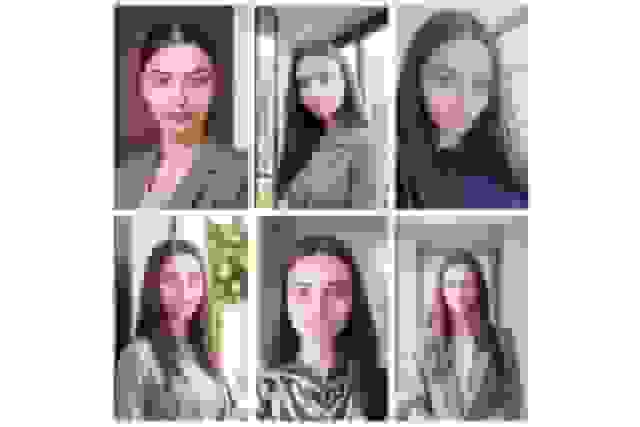
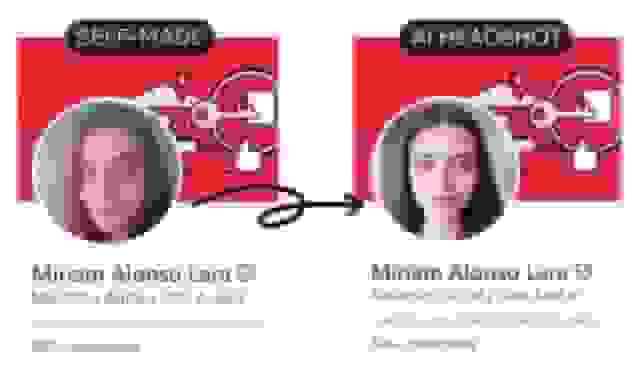
The big differentiator is the hybrid approach: AI generates the headshots, then human editors review and polish them. That extra layer catches the subtle stuff that trips up pure AI tools — slightly unnatural shadows, a collar that doesn't sit right, skin that's been smoothed a bit too much. The result is output that looks more natural than any AI-only tool.
What stands out:
- 4K resolution on every plan (not just premium)
- 150+ professional styles — the largest library we've seen
- Human editing catches AI artifacts other tools miss
- Under 1 hour turnaround
- SOC 2 Type II + ISO 27001 security (strongest in the category)
- Team dashboard with admin controls, style locking, batch processing
- Money-back guarantee
Pros:
- Highest quality output for professional use
- Human editors = more natural results
- Best security certifications in the market
- Great for both individuals and teams
Cons:
- Slightly higher starting price than the cheapest competitors ($35 vs. $29)
- No free plan (money-back guarantee instead)
Best for: Anyone who needs headshots that look genuinely real — LinkedIn, company team pages, executive bios, marketing materials. Especially strong for teams that need consistent, brand-aligned photos across the organization.
Try BetterPic Now
2. Aragon AI — Fastest turnaround
Pricing: $35 for 20 headshots | $45 for 60 | $75 for 100
Speed is Aragon's superpower. Their Premium plan delivers results in as little as 15-30 minutes — the fastest in the market. If you need a headshot for a job application due in an hour, this is the tool.
The source photo requirement is also the lowest: just 6 images. That means less friction for busy people who don't want to spend 20 minutes finding and uploading photos.
What stands out:
- 15-minute turnaround on Premium plan
- Only 6 source photos needed (lowest requirement)
- AES-256 encryption, SOC 2 Type II certified
- Simple, clean interface
- 30-day money-back guarantee
Pros:
- Unbeatable speed
- Minimal friction — fewest source photos needed
- Solid data security with SOC 2 certification
- Professional-quality output most of the time
Cons:
- Fewer style options than BetterPic or Dreamwave — if you want a lot of variety, look elsewhere
- Resolution is 2048x2560 — good but not 4K. Fine for LinkedIn, potentially limiting for print
- Inconsistency in some batches — reviewers note that out of 20 headshots, a few may have distorted eyes, unnatural teeth, or stiff poses
- Refund process issues — this needs to be said. While Aragon advertises a 100% satisfaction guarantee, multiple Trustpilot reviewers report difficulties actually getting refunds processed. Some were told they couldn't get a refund because they'd "downloaded" a photo, others said requests went unanswered. The overall rating is 4.9/5 (most people are happy), but the negative reviews tell a consistent story about refund friction.
Best for: People who need professional headshots FAST and prioritize simplicity over customization. Good for last-minute LinkedIn updates, job applications, and quick profile refreshes.
3. Dreamwave AI — Best value for volume
Pricing: $39 for 120 headshots | Free tier: 20 headshots (longer wait, no redos)
If you want the most headshots per dollar, Dreamwave wins hands down. 120 photos for $39 is three times what most competitors offer at a similar price point. And the free tier — 20 headshots at no cost — is a genuine way to test AI headshots without spending anything.
The style range is also broader than most. Dreamwave leans more creative than strictly corporate, offering backgrounds and settings you won't find on business-focused tools.
What stands out:
- 120 headshots for $39 — best volume deal
- Free tier with 20 headshots (no credit card required)
- Wide range of styles including creative and non-traditional options
- Fast turnaround (under 1 hour)
- 14-day money-back guarantee
Pros:
- Unbeatable headshots-per-dollar ratio
- Free tier is a real, usable option
- More creative style options than most competitors
- Fast processing
Cons:
- Quality is inconsistent across the volume — you get 120 headshots but maybe 15-20 are genuinely great. The rest range from "okay" to "not usable." Quantity doesn't equal quality.
- No redos on lower plans — if the batch misses the mark, you can't regenerate without paying more
- No human editing — pure AI output, take it or leave it
Best for: Budget-conscious professionals who want lots of options to pick from, people testing AI headshots for the first time (free tier), and anyone who wants creative/non-traditional styles alongside professional ones.
4. Secta AI — Most editing control
Pricing: $49 for personal use
Secta takes a different approach: instead of "generate and done," it gives you a suite of post-generation editing tools. Change clothing, adjust expressions, swap backgrounds, fine-tune details — all after the AI has created the initial images. If you're the kind of person who wants to control every pixel, Secta is built for you.
What stands out:
- 12+ post-generation editing tools
- 60+ style presets
- Change clothing, expressions, and backgrounds after generation
- High customizability for specific aesthetic needs
Pros:
- Most hands-on control of any tool on this list
- Can fix AI artifacts yourself rather than accepting imperfect output
- Good for people with very specific aesthetic requirements
- Works well for diverse teams where standard presets don't fit everyone
Cons:
- At $49, it's one of the most expensive options — and the raw AI output before editing isn't dramatically better than cheaper tools. You're paying for the editing suite.
- Output quality depends heavily on your source photos — more so than other tools. If your inputs are mediocre, the editing tools can only do so much.
- Takes more time — the editing workflow means you're investing 20-30 minutes per headshot to get it right, vs. a few minutes of reviewing on other platforms
Best for: Detail-oriented people who want hands-on editing control and don't mind spending time in an interface. Good for creatives and anyone with very specific visual requirements.
5. HeadshotPro — Simplest team experience
Pricing: $39 for 100 headshots
HeadshotPro is built with teams in mind. The workflow is designed for HR teams and office managers: invite team members, they upload photos, admin picks styles, everyone gets matching results. It's the most "set it and forget it" option for group headshots.
What stands out:
- Team-first design — centralized dashboard, invitations, tracking
- Consistent background application across all team members
- Natural-looking output
- Simple enough for non-technical team members
Pros:
- Best team management workflow
- Consistent, professional output
- 100 headshots for $39 is solid value
- User-friendly enough for anyone
Cons:
- Requires about 20 source photos per person — that's significantly more than competitors (Aragon needs 6, BetterPic needs 8). For busy employees, finding and uploading 20 good photos is real friction.
- Style options lean corporate — if your team wants anything beyond traditional professional looks, you'll find the options limiting
- No human editing — AI-only output
Best for: HR teams and admins coordinating headshots for a group. Particularly good for companies that prioritize simplicity and team consistency over creative range or individual customization.
Quick comparison
| BetterPic | Aragon AI | Dreamwave | Secta AI | HeadshotPro | |
|---|---|---|---|---|---|
| Price | From $35 | From $35 | From $39 (free tier) | $49 | $39 |
| Headshots | 20-120 | 20-100 | 20-120 | Varies | 100 |
| Resolution | 4K | 2048x2560 | High-res | High-res | High-res |
| Speed | Under 1 hour | 15 min-2 hours | Under 1 hour | Varies | 2-3 hours |
| Styles | 150+ | Limited | Extensive | 60+ | Moderate |
| Human editing | Yes | No | No | Manual (self-serve) | No |
| Free tier | No | No | Yes (20 headshots) | No | No |
| Team features | Yes | Growing | Basic | No | Yes (strongest) |
| Security | SOC 2 + ISO 27001 | SOC 2 | — | — | SOC 2 |
Which one should you pick?
Quality is your top priority: BetterPic. Human editing + 4K + 150 styles = the most polished output.
You need a headshot in 30 minutes: Aragon AI. Nothing else is as fast. Just start with the $35 plan.
You want to try AI headshots for free first: Dreamwave. 20 headshots, no cost, no credit card.
You want hands-on editing control: Secta AI. More post-generation tools than anyone else.
You're doing this for a whole team: HeadshotPro for the simplest admin workflow, or BetterPic if you also want quality and human editing.
You want the best balance of everything: BetterPic. Yes, it's ours. But the combination of 4K output, human editing, 150+ styles, enterprise security, and team management is genuinely unmatched. See for yourself.
Sources & References
- LinkedIn Profile Photo Tips — LinkedIn
- How Your Profile Photo Impacts Your LinkedIn Presence — LinkedIn Official Blog
- AI Image Generation Market Report — Grand View Research
- How AI Is Changing Photography — Forbes
- Professional Headshot Photography Pricing — Thumbtack

Written by
Gift ChidinmaContributing Writer
Gift is a contributing writer who covers AI photography trends and practical guides for professionals looking to upgrade their visual branding.
- Contributing writer specializing in AI photography
- Researches and tests AI headshot tools for hands-on reviews

Reviewed by
Related professional headshots for individuals resources
Keep exploring this topic with focused resources from the B2C journey.
Primary destination:BetterPic homepage
Frequently Asked Questions
What is the best AI headshot app in 2025?
- BetterPic ranks best overall for quality with 4K resolution, human editing, and 150+ styles starting at $35. Aragon AI is fastest (15-minute turnaround), Dreamwave offers the best value (120 headshots for $39 plus a free tier), and HeadshotPro has the simplest team workflow.
Is there a free AI headshot app?
- Dreamwave offers a free tier with 20 headshots and no credit card required. HeadshotPro has a separate free headshot tool with basic quality. However, free tools produce noticeably lower quality than paid options and may use your photos for AI training.
How does BetterPic compare to other AI headshot apps?
- BetterPic is the only tool offering human editing on top of AI generation, produces 4K output on every plan, has the largest style library at 150+, and holds both SOC 2 Type II and ISO 27001 security certifications. It starts at $35 for 20 headshots.
How many photos do AI headshot apps need?
- It varies by app. Aragon AI needs the fewest at just 6 photos. BetterPic requires about 8. HeadshotPro asks for approximately 20 source photos for best results. More diverse, well-lit source photos produce more accurate and natural-looking headshots.
Can you use AI headshot apps for business and commercial use?
- Yes. All reputable AI headshot apps include a full commercial license, meaning you can use the generated headshots on websites, LinkedIn, marketing materials, and anywhere else without attribution, usage limits, or recurring fees.
Save 87%on average on your professional photos.
Whenever, wherever you are.
Get studio-quality, 4K images in a variety of outfits & settings in less than an hour.
Get your headshots nowStart now